
Learn how to use ESUNT to protect private messages and files, connect with trusted contacts, and manage secure conversations and groups. This practical guide covers both the standalone ESUNT messenger and independent encryption used alongside compatible communication applications.
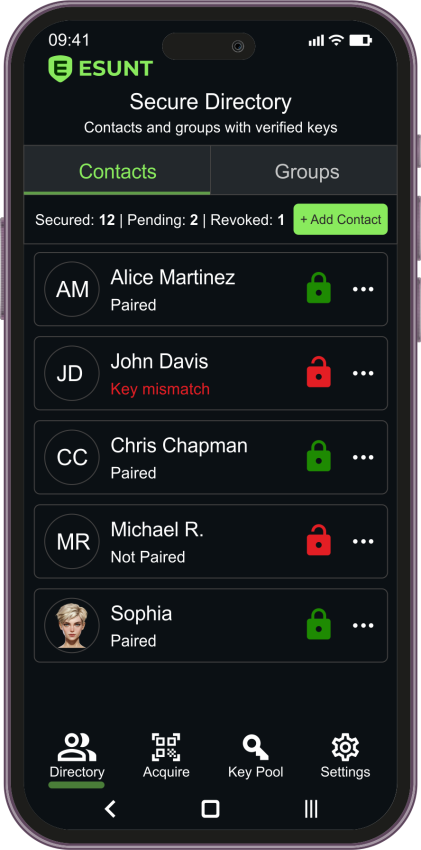
Explore the ESUNT interface, discover its security features, and follow practical workflows designed to make private communication simple and accessible.
What You Will Learn
- Getting Started with ESUNT - Explore the interface and configure your preferences.
- Contacts and Secure Connections - Add trusted contacts and establish secure connections locally or remotely.
- Secure Messaging - Send encrypted messages and read protected conversations.
- Calls, Files, and Groups - Explore planned voice calls, encrypted file and voice recording exchange, and private group communication.
- Using ESUNT with Other Applications - Protect content independently before sharing it through compatible messaging and collaboration platforms.
- Managing ESUNT Security - Manage separate cryptographic key pools, secure connections, and protection controls.
- Data and Privacy Management - Control local information and learn how Hard Delete permanently wipes all cryptographic keys in a selected key group.
- Practical Examples and FAQs - Discover everyday examples of private conversations, group communication, encrypted file sharing, and ending secure connections.
Independent Encryption for Everyday Communication
ESUNT provides an independent layer of encryption that protects content before it reaches a compatible communication application. The application continues to deliver messages, while ESUNT manages its own encryption separately from the platform's security system.
ESUNT also includes a standalone secure messenger architecture, offering a dedicated environment for protected communication.
To explore the underlying cryptographic principles, visit the ESUNT Technology Book.